
See the presentation
Plan display or projection size, mounting and source connections around the room geometry, lighting and sightlines.
Start with the setting or problem. We will help connect design, products, installation and support.
Meet InterFusion, get help or open your account.
Choose a category, then a brand. Product details stay one clear step away.
Start with the setting or problem. We will help connect design, products, installation and support.
Meet InterFusion, get help or open your account.
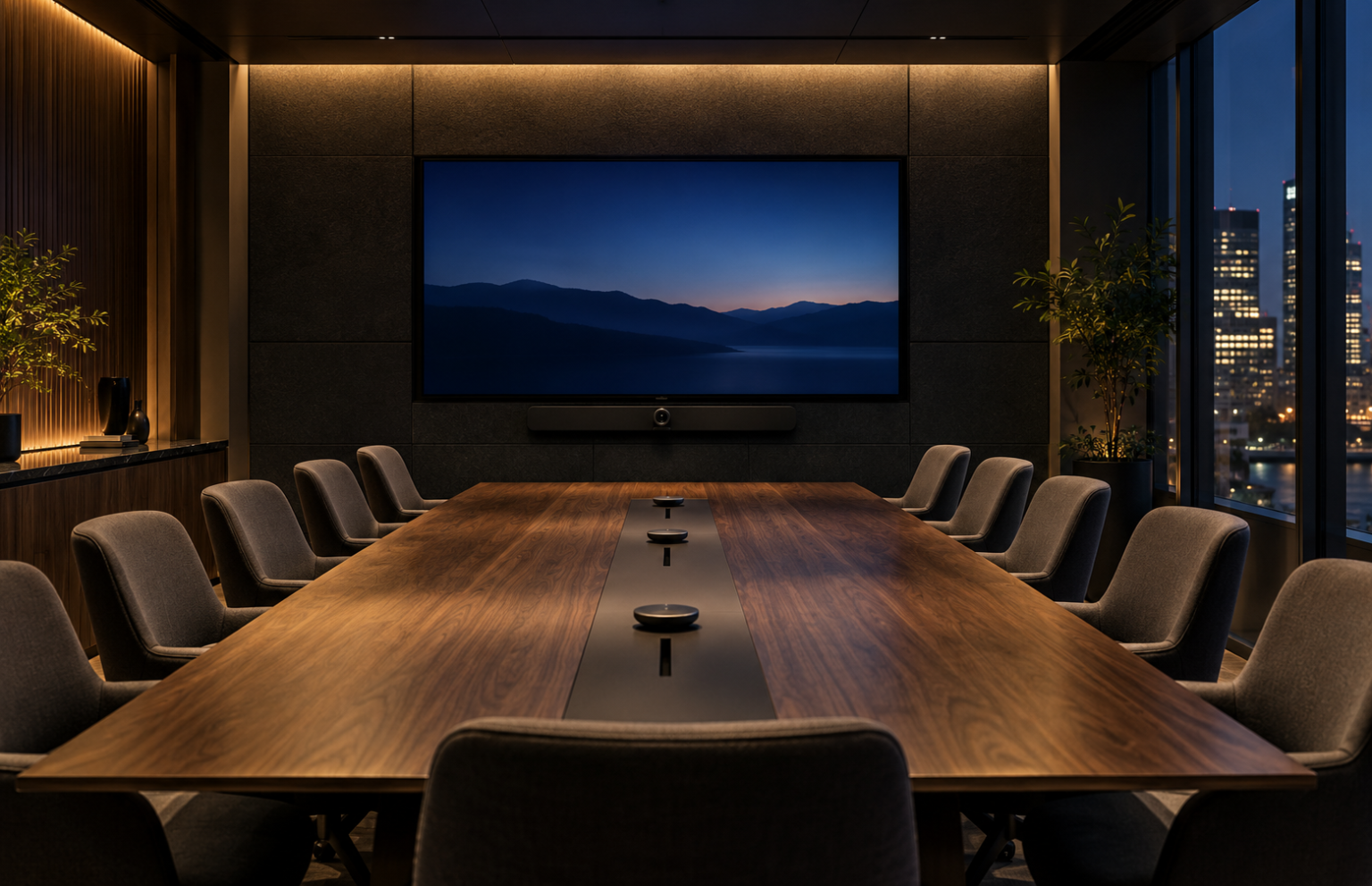
InterFusion MEDIA designs presentation and collaboration systems around the meeting workflow: what people need to see and hear, how remote participants join, what staff need to connect and how the room is operated. Displays, sound, cameras, controls and infrastructure are planned together around the space.
For organizations improving a huddle room, boardroom, training space or a group of meeting rooms. Start with the daily tasks, the seating layout and the points of frustration, whether that is sharing a presentation, hearing remote guests or switching between room uses.
Plan display or projection size, mounting and source connections around the room geometry, lighting and sightlines.
Match camera views, microphones, speakers and processing to participant positions, room acoustics and the conferencing workflow.
Define the inputs and everyday operating sequences so staff know how to start, share content, adjust sound and finish.
Provide an agreed handover with staff orientation, useful documentation and a clear path for follow-up support.
Review room purpose, dimensions, seating, lighting, acoustics, accessibility needs, existing equipment and meeting platforms.
Choose suitable displays or projection, conferencing audio and cameras, source connectivity, signal distribution and room control. Confirm what can be retained.
Plan power, mounting, switching, cable pathways, cable management and service access. Coordinate network-connected equipment with the client IT team.
Agree the room behaviours, configure the selected system and test the intended presentation and meeting workflows.
Include staff guidance, operating notes and system information in the agreed handover. Confirm any continuing support or maintenance separately.
Selected models, accessories, installation and support are confirmed for the project; brand examples are not a fixed equipment bundle.
Meeting-platform accounts, subscriptions, building works and client IT changes are identified where needed.
Room conditions and the selected equipment determine the result. Existing components are reused only after their suitability is checked.
The final selection follows the room design. These existing brand resources explain the roles different technologies can play.

Wireless presentation and collaboration options for sharing from a laptop.
Explore Barco
Conferencing audio options for meeting and training spaces.
Explore Nureva
Presentation switching, extension and room-connectivity options.
Explore Atlona
Conferencing cameras, presentation capture and related AV technology.
Explore LumensBrand families identify useful technology roles. Exact models, compatibility, licensing and availability are confirmed in your proposal.
A huddle room or smaller space with one main meeting workflow. The scope can include a suitable display and source connection; camera, microphone and speaker arrangement matched to the room; mounting, cabling, setup and staff orientation as agreed. Your quote confirms participant positions, laptop or room-system workflow, conferencing platform, cable routes and equipment to retain.
A shared room that needs presentations and hybrid meetings to work together. The scope can include display and presentation routing; conferencing audio and camera coverage; clear room controls and an agreed operating sequence. Your quote confirms seating and sightlines, guest connections, room acoustics, network requirements and any room-account or software needs.
A training or divisible room with several ways of working. The scope can include presentation and camera/audio planning for each agreed layout; source routing and control for the selected room modes; commissioning and operator guidance for those modes. Your quote confirms room partitions, seating layouts, microphones, operator roles, cable pathways and how combined or separate use should behave.
These are planning examples, not fixed equipment bundles or service subscriptions. Your quotation defines the work, equipment, exclusions and any recurring terms before proceeding.
Possibly. Share the model information and describe what works today. Connections, condition, mounting and compatibility with the proposed workflow are checked before we include an existing component.
Start with how staff and guests work. We compare laptop-led and room-system approaches against the meeting platform, room use, device connections and account responsibilities before choosing the architecture.
That can be included in the design. List the layouts and whether partitions are used so camera views, audio coverage, sources and controls can be planned and tested for the agreed modes.
The agreed scope can include programming, commissioning, workflow testing, staff orientation and documentation. Continuing support and maintenance are defined separately around the installed system.
You do not need a complete equipment list to begin. Please leave passwords and confidential network information out of the enquiry.